We're excited to announce a complete overhaul of the booking experience for Business plan users. This new booking flow is designed to provide a seamless, modern experience that matches your brand identity and helps you convert more customers.
What's New
The new booking flow includes:
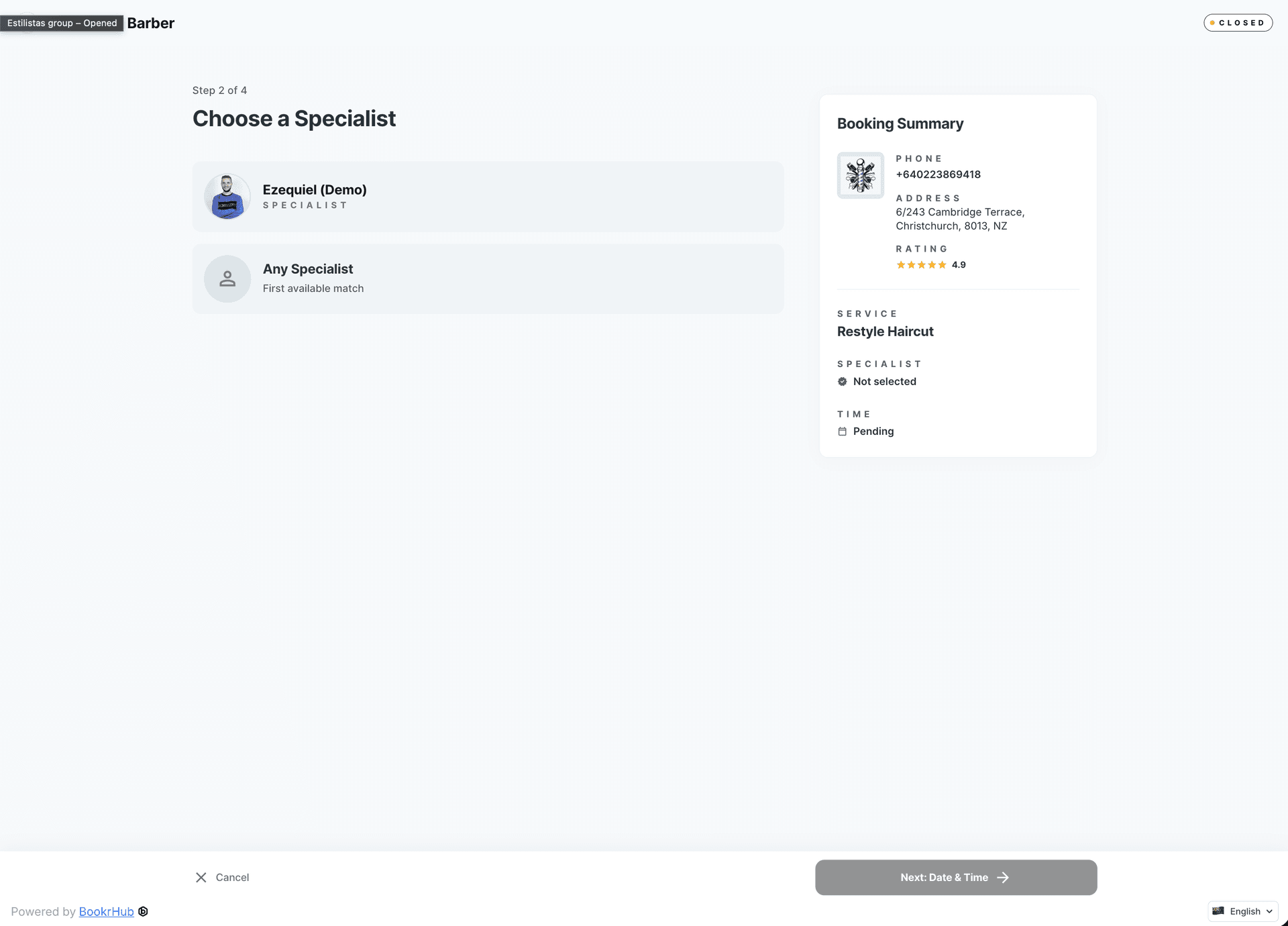
- Worker Selection — Clients can choose their preferred professional or select "Any available" to get the earliest appointment across all staff
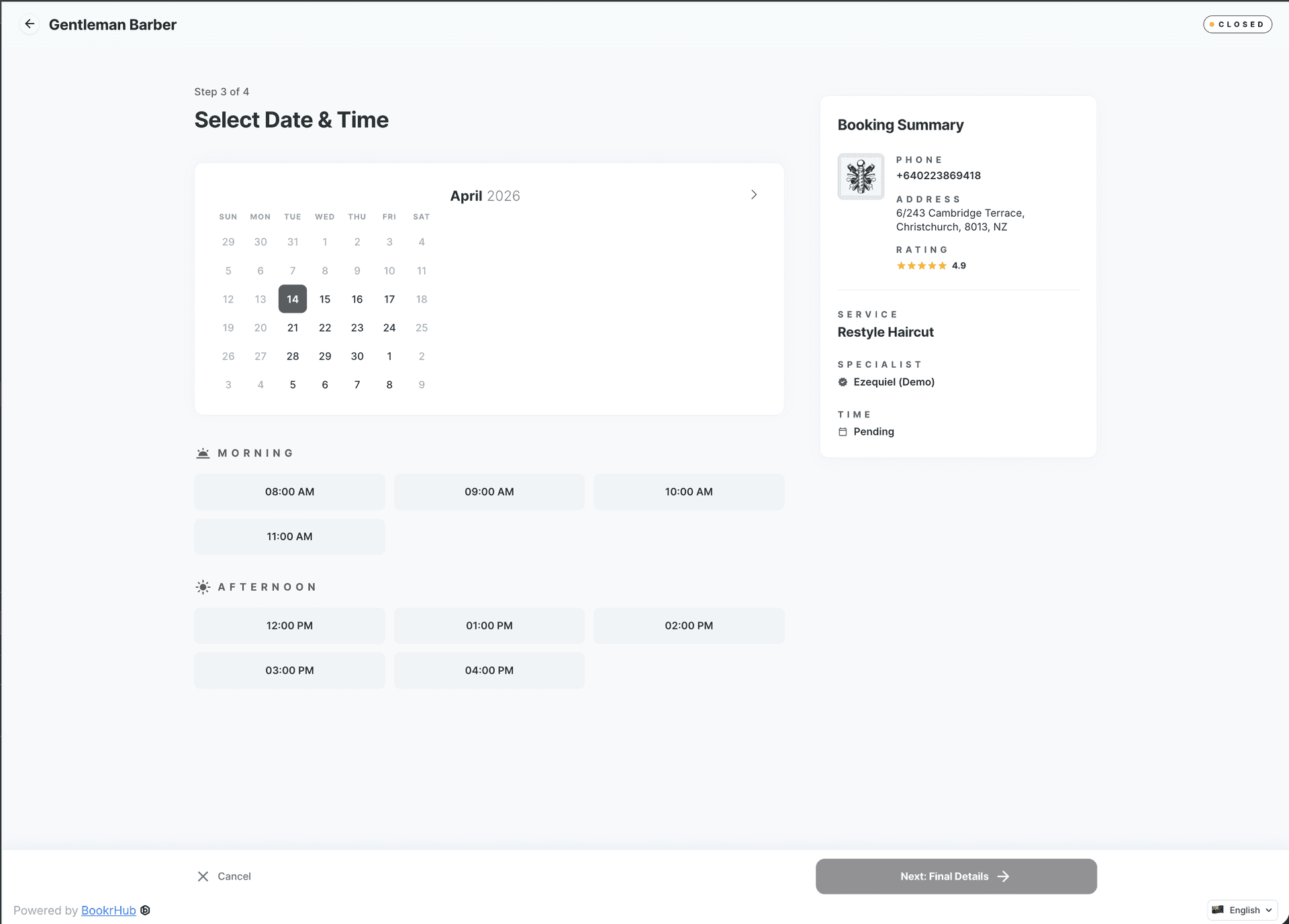
- Instant Availability — Real-time display of all available time slots, showing exactly when the next appointment is available
- Customizable Branding — Match your landing page colors and logo for a cohesive brand experience
- Responsive Design — Optimized for both desktop and mobile devices
- Improved Performance — Faster page loads and better SEO optimization for higher search rankings
Booking Flow Steps
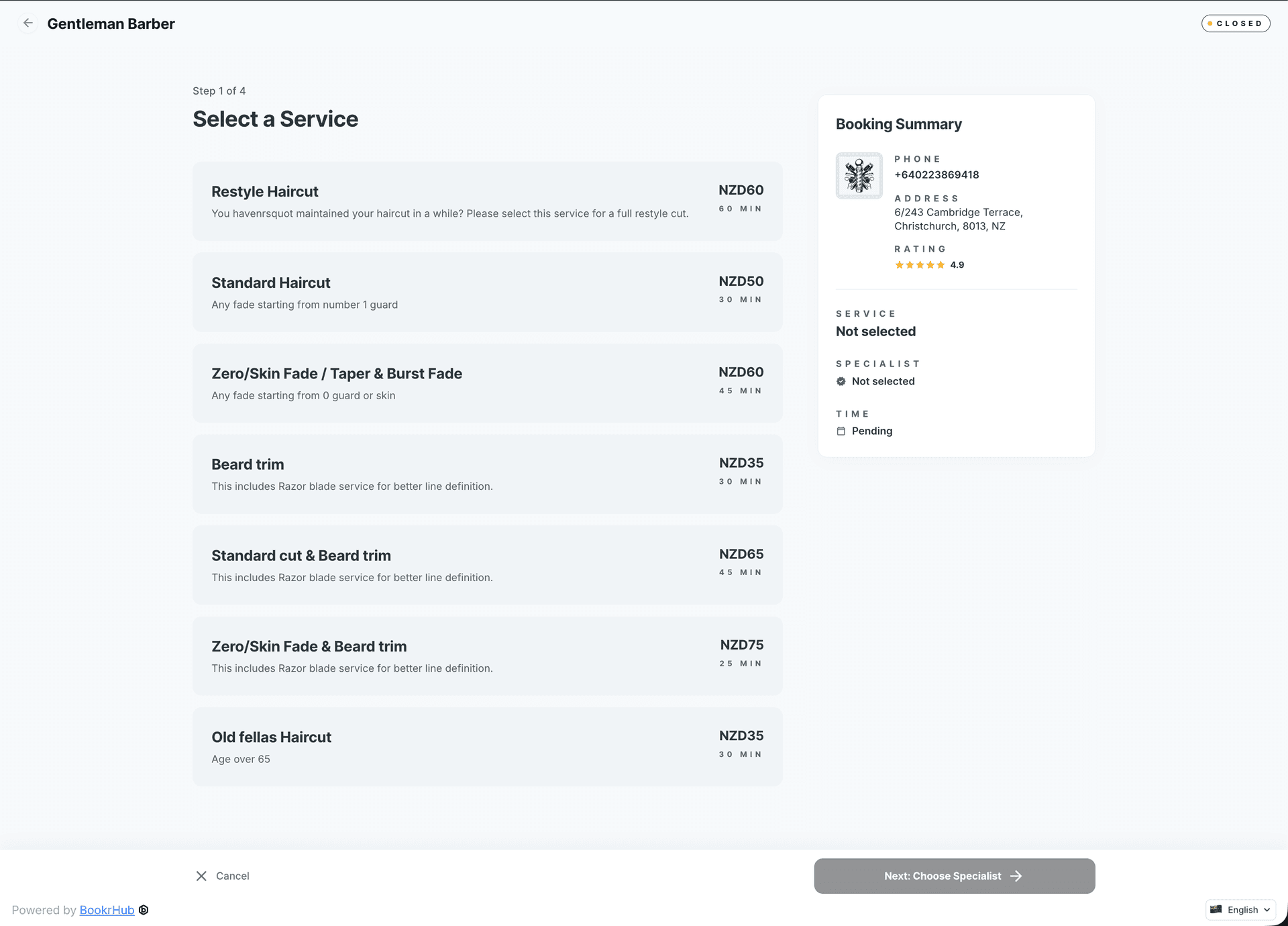
Step 1: Select a Service Clients browse through all your services with clear descriptions and pricing. Each service shows duration and category.
Step 2: Choose Your Professional Choose a specific worker or select "Any available" — the system will show all time slots where any staff member is free, automatically matching clients with the first available appointment.
Step 3: Pick a Time See all available time slots at a glance. The interface clearly shows which slots have earliest availability.
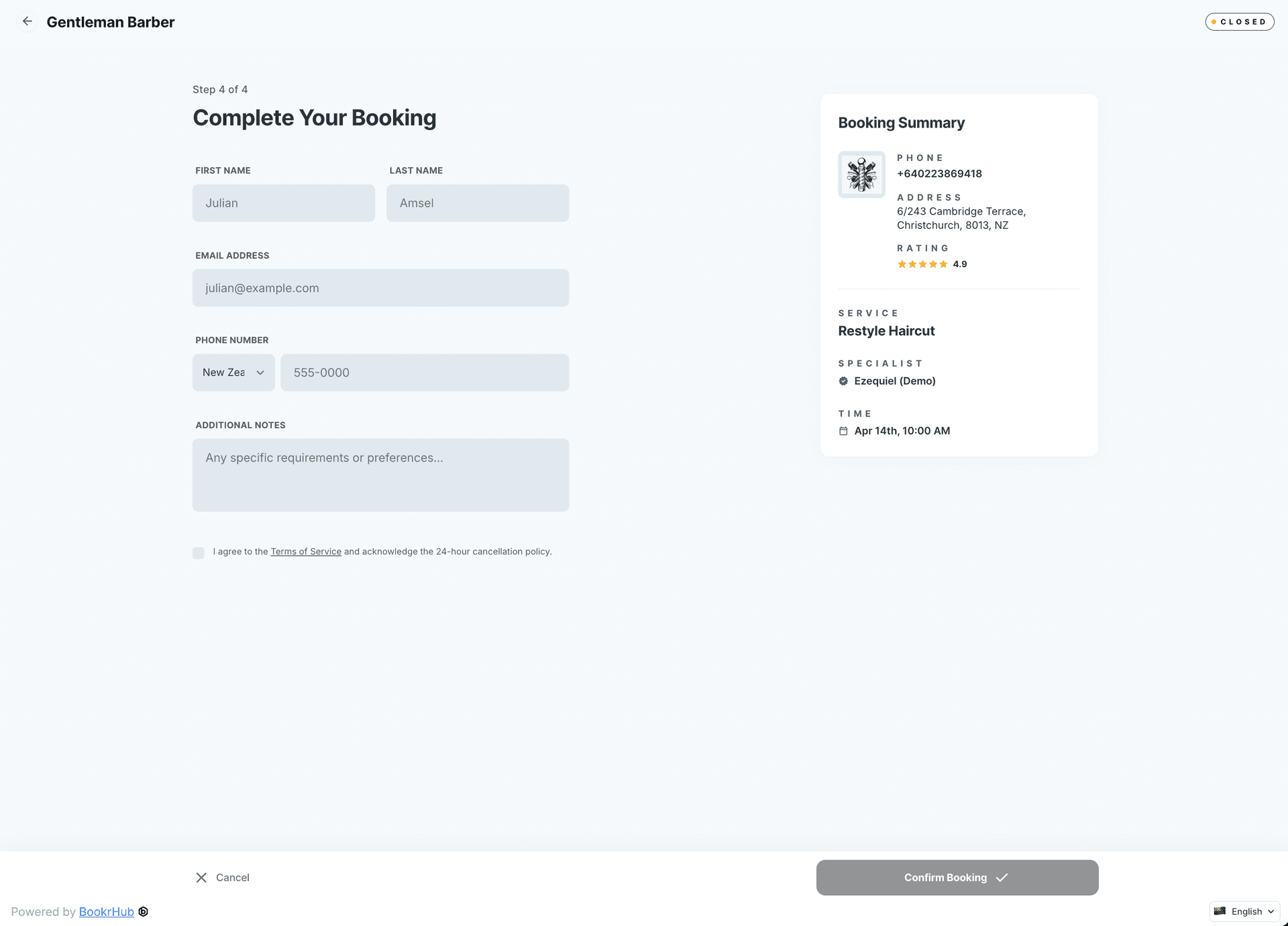
Step 4: Enter Details Fill in customer information and accept terms and policies. The form is streamlined for quick completion.
New Screens
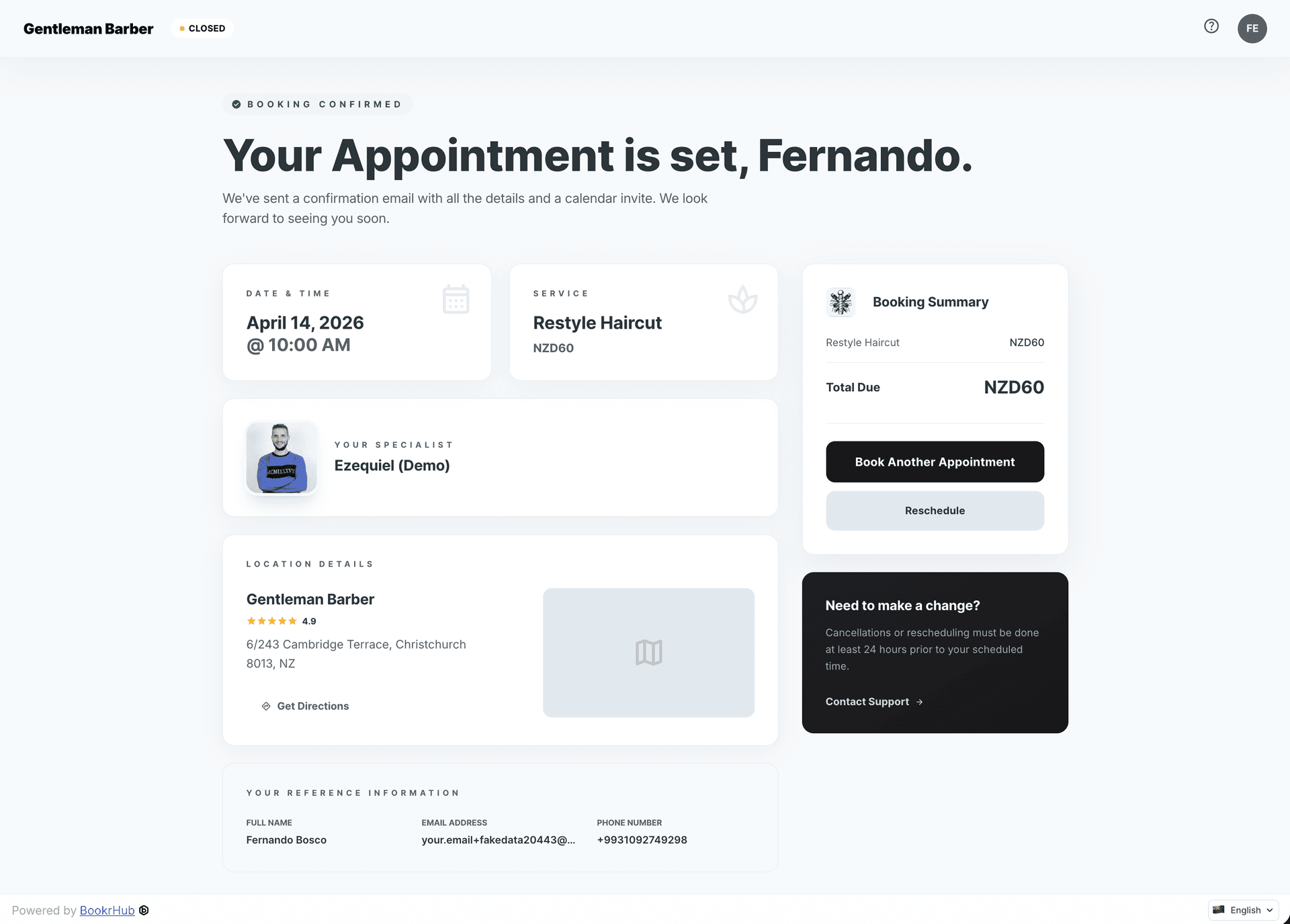
Booking Confirmation A clean, professional confirmation screen that summarizes the appointment details, professional assigned, and next steps.
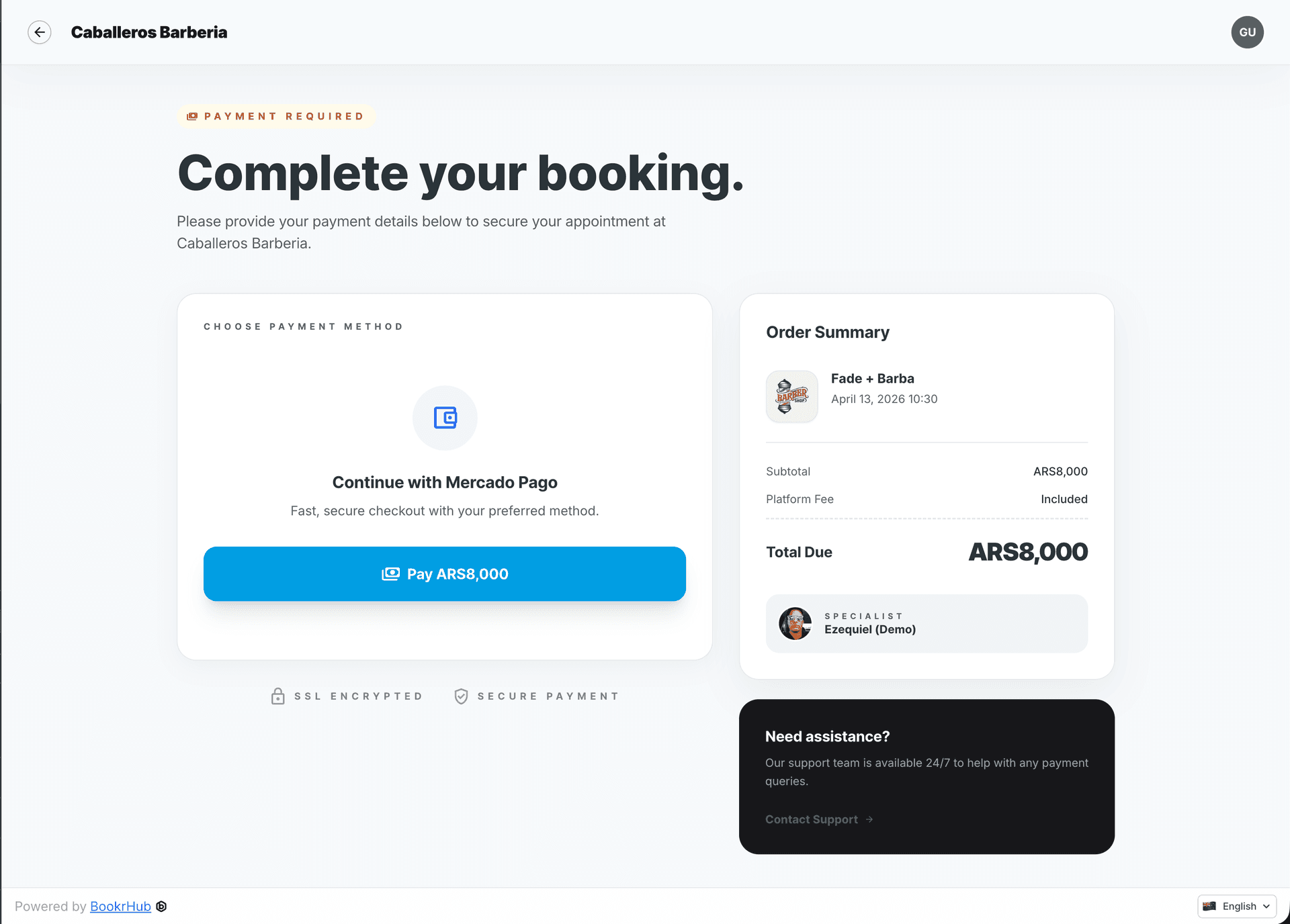
Payment Screen New payment interface with support for all configured payment methods. Secure and easy to use.
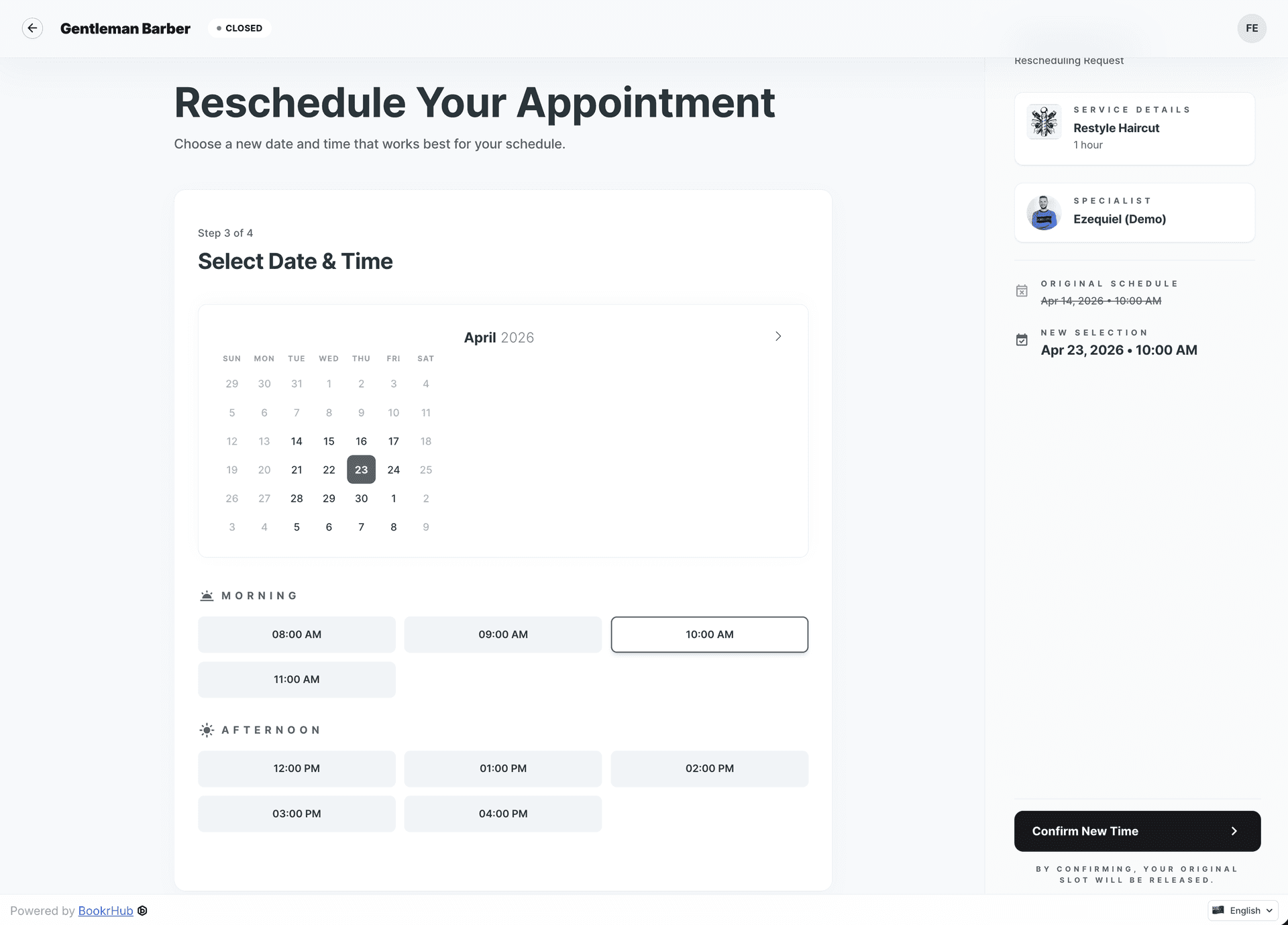
Reschedule Flow Customers can easily reschedule or cancel their booking through a simple, intuitive interface.
SEO Improvements
The new booking flow is optimized for search engines:
- Faster Load Times — Improved performance means better Core Web Vitals scores
- Structured Data — Proper schema markup helps Google understand your content
- Mobile-First Design — Fully responsive for mobile users, a key ranking factor
- Clean URLs — SEO-friendly URL structure
Only for Business Plans
This new booking experience is available exclusively for Business plan users. It works seamlessly with your custom landing page to provide a complete, branded experience for your clients.
Getting Started
If you're on the Business plan, the new booking flow is automatically enabled. Customize your colors and logo in Settings > Branding to match your company's identity.